Best bike and helmet cameras 2026: expert-tested for capturing epic rides or clips for insurance purposes
Capture, edit, and reminisce - whether it be capturing an adventure or footage for insurance purposes, the best action cameras for cycling are the perfect riding companion
There are plenty of reasons to own one of the best bike cameras, from capturing your best Tom Pidcock impression to just instilling jealousy in your friends at the cafe stop for getting to ride *insert famous mountain here*. They also offer much broader use; with the right mount, they can be used for other sports or just for capturing family memories.
The best action cameras for cyclists can also be used for far less cheery moments, such as commuter aid. Like a car dash cam, they can document road accidents and incidents, allowing the user to submit evidence to the relevant authority if needed.
So, whether you’re an aspiring YouTuber or a regular commuter looking to record your daily journeys, there’s a bike camera for you. Our cycling tech experts have tested a variety of models, including some of the best helmet cameras, enabling us to create this guide featuring six top performers. Our top pick for 2026 is DJI's OSMO NANO, which sets a new standard with its combination of usability, compact design, and overall capture capability.

Our expert review:
DJI Osmo Nano, in use:
Reviewed by Simon Richardson - Magazine Editor
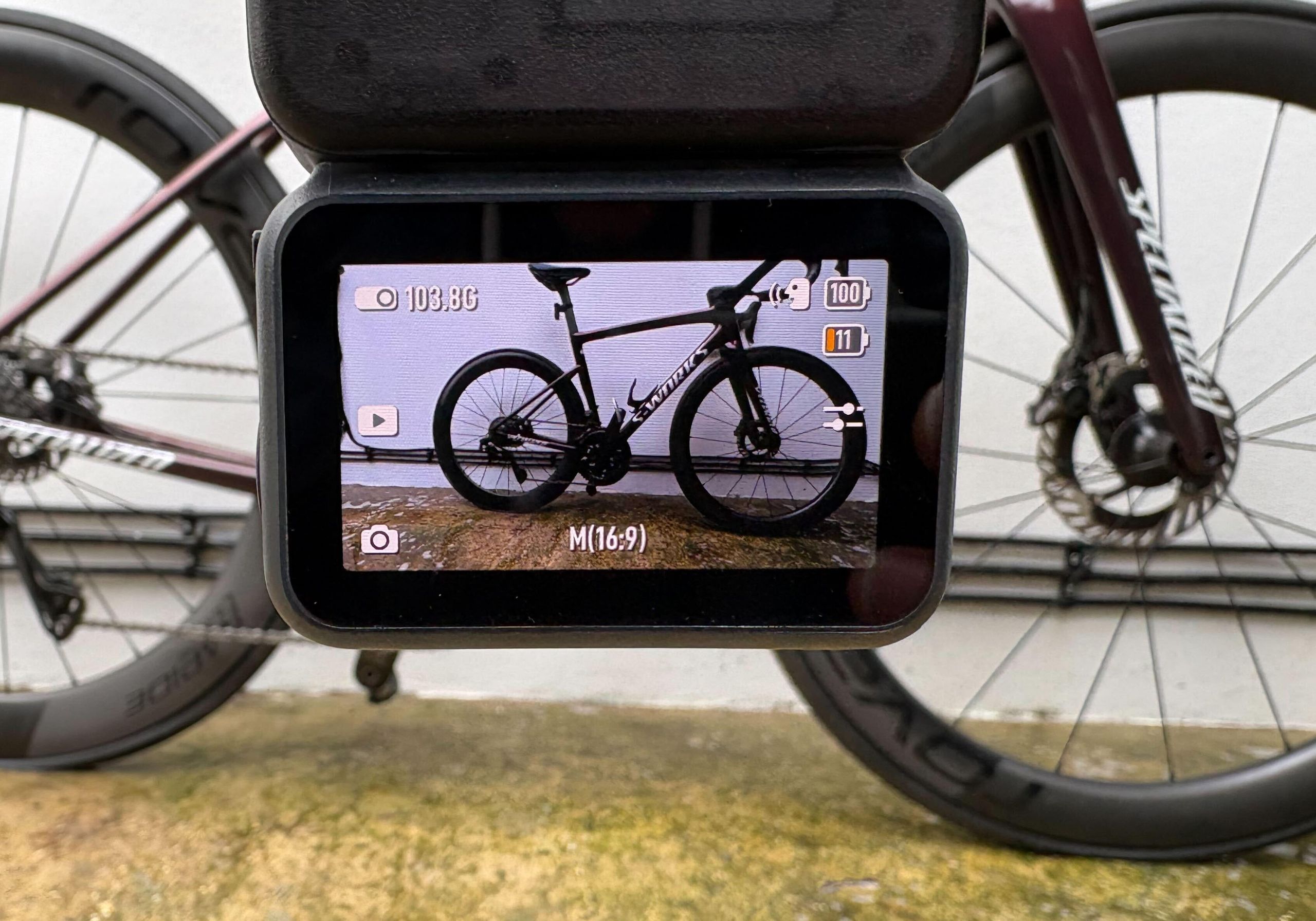
Until now, action cameras have tended to be a little bulky: enter the new category of mini cameras with docks that offer almost the same functionality as their bigger brethren, but in a smaller, lighter package. DJI’s Osmo Nano is a two-part camera that can be attached to your bike, hung around your neck, or clipped to clothing (via impressively strong magnetic accessories). What they have achieved with the NANO is nothing short of amazing.
By separating the lens and all the tech that captures images from the playback and control functions, the Osmo Nano compacts the camera into a tiny 56x28x26mm(2.2x1.1x1”) package, capable of shooting in 4k and weighing just 64.9g/2.29oz. Which makes riding with it a dream, neither taking up too much room on the bar nor noticeable when clipped to your jersey or helmet.
The microphone is impressive, and for those who have a little more expertise than I do, you can swap the lens filters to suit the lighting conditions.
It will take still images, shoot video in slow motion, time-lapse and has a SuperNight shooting mode too. There’s also voice control and a setting to start recording with a double nod of the head for helmet recording. Plus, you can change the function of the unit's single button. Which is all very handy on the bike and very intuitive.
No action camera is complete without a supporting app; in DJI’s case, it is the DJI Mimo app, which works with all its camera tech. The connection to the device is simple with a mini wifi network. What is fantastic is that it lets you quickly preview low-res versions from the camera on your phone before downloading the high-res versions. You can also trim them down and do some basic editing with filters to change colour, brightness, contrast, etc., which is great for amateurs like myself.

Our expert review:
Insta360 X5, in use:
Reviewed by Jamie Williams - Video Editor
We were big fans of the Insta360 X4 here at Cycling Weekly. This was largely due to Insta360's ecosystem and app integration, which made it so easy to get footage from the camera. While the X4 itself remains an excellent camera, it didn’t quite tick all the boxes, namely when it came to durability. The X5 features more durability thanks to replaceable lens caps and is now more waterproof, allowing submersion down to 15m.
The big improvement and why the X5 streaks ahead of GoPro is its performance in low light, which is largely due to the enormous sensor Insta has managed to get into the X5. Without getting too technical, the GoPro Hero13 features a 1/1.9” sensor, which is significantly smaller than the 1/1.28” sensor. Put simply, the X5 just lets in a lot more light to the lens. This just makes the X5 more versatile, and thanks to it offering 8 K resolution, you can now crop to almost any format you want.
This is where the X5 really shows its only flaw: in its defence, this is an issue for most 8k cameras; file sizes are huge. This is more noticeable with the X5 because the Insta ecosystem is so good; most phones just don't offer enough storage space to manage these, or at least enough of them to cut them together, which undermines the whole Insta360 experience.
However, unless, like me, you are shooting for professional use, you will likely just think the X5 is brilliant, extremely capable, and streaks ahead of the competition.

Our expert review:
Reviewed by Andy Turner - Tech Contributor
It is hard to differentiate between the MAX2 and the Hero13; there is a lot of give-and-take: one is better in one area, and the other in another. So, to simplify it as best I can, the Hero13 obviously provides better single-view capture and, because of this, is more compact. For most people, the Hero13 is probably still the go-to option in the GoPro range. The MAX2, while it has larger sensors, won’t perform as well in a single aspect because of its lower resolution and lens design. However, the MAX2 does offer 8k in dual aspect, which offers greater cropping potential in post-production. It also features a much bigger battery, which I found performed much better at low temperatures, such as those found in a British winter.
With that out of the way, really, the MAX2 should be compared to the X5, which is our Best Overall. Similarly to when comparing the Hero13 and the MAX2, the MAX2 and Insta360 X5 are much for muchness. However, where Hero13 falls down against the competition, the MAX2 also falls down. The X5 has superior low-light capability, and the Insta360 ecosystem for editing is another area where GoPro are just not quite competing right now, and why I still think the X5 is the better 360 camera option.
That said, the MAX2 is far from uncompetitive. In fact, when compared to where GoPro traditionally pitch their cameras as the premium option, the MAX2 offers very reasonably value, despite having additional lenses, sensors and a bigger battery. In most cases, in fact, it is on a par with the X5 and even better in a few areas. If you are already a GoPro user, you will love the MAX2. If you don’t plan to shoot in low light, it is better value than the X5.

The Akaso is designed for those on a budget
Our expert review:
Reviewed by Paul Norman - Tech Contributor
If spending hundreds on a bike camera right now isn't in the offing, then you'll be pleased to discover there is a more affordable option that is well worth exploring.
The Akaso EK7000 Pro action camera impressed me on test, proving you can buy a bargain without totally sacrificing performance. Clearly a nod to the GoPro brand of action cameras, notably the entry-level Hero 7, the Akaso also mirrors a few of its features, such as stabilisation and the ability to shoot in 4k/25fps, 2.7k/30fps or 1080P/60fps modes, as well as shooting 16M pixel stills.
It also allows you to flip the image (in case your mounting under your bike saddle) burst photo and even loop record, ideal if you are wanting to use it for dash-cam like safety.
The waterproof case comes as standard and is compatible with GoPro mounts, making it tricky for anyone other than the user to realise that it isn't one of the original adventure camera purveyor's units.
I loved the wrist mount and the 2" touch screen, which makes it easy to select which camera feature to use and instantly watch a playback, although you can also use the Akaso app and do it all from a smartphone too.
It comes with two batteries as standard, so you can get around three hours of use if you remember to switch over midway.
It really is an impressive package; the only downside is that you'll still need to invest in a Micro SD card, and the image isn't quite as good quality as some, but for the price, you can't get better.

The new Lens Mods are cool upgrade from the Hero 12
Our expert review:
Reviewed by Andy Turner - Tech Contributor
I found the GoPro Hero 13 Black's video performance to be brilliant. The HyperSmooth 6.0 stabilisation was truly impressive, effectively reducing shakiness no matter the terrain, and it even allowed for dynamic banking angles when cornering. I was also quite impressed with the upgraded HLG HDR, which significantly enhanced the colours, saturation, and overall detail in my video footage.
However, I did notice that the low-light performance remains a weakness for GoPro. On the bright side, the introduction of new and expanded Lens Mods, such as the Ultra Wide, Macro, ND filters, and Anamorphic lenses, significantly boosted my creative video potential, which is unique to this style of camera. These additional lenses, although somewhat costly, offered unique filming options, including cinematic 21:9 ratios with distinctive lens flare and motion blur.
Ultimately, despite some modest updates and a relatively high price, I believe the Hero 13 Black's improved HDR, better battery life, and incredibly versatile lens options make it a strong contender, especially if you're looking for unique features like Anamorphic filming.

Our expert review:
HoverAir X1, in use:
Reviewed by Anne-Marije Rook - North American Editor
The HoverAir X1, a self-flying drone, is genuinely impressive, particularly for its portability and ease of use. It's incredibly light, weighing just 125 grams, and I loved that it folds up small enough to fit right into my jersey pocket. Setting it up was straightforward; after a quick app setup, I could control it with just two buttons on the device itself. Launching it from my palm and having it gently land back in my hand was always a cool experience.
The self-flying capabilities, with pre-programmed modes like "Follow," were fantastic. I think cyclists are going to want to use this mode the most, and for that reason, I tested this one particularly thoroughly. I found it to track me remarkably well, even through zig-zags and sudden turns. However, its 13mph speed limit means it couldn't keep up once you get up to speed, and this is particularly noticeable on the road, where speeds are generally much higher than this. That said, it handled various lighting conditions and wind speeds of up to 17mph with good stability.
Video quality, for a drone under $400, was pleasantly surprising. The video it captured was sharp and stable, easily good enough for social media, and I'd even compare it to the output of a GoPro or phone camera. It also lacks collision sensors, so I was cautious in wooded areas. However, for slower activities or open spaces, the HoverAir X1 really delivered excellent results.
We're riders first and foremost here at Cycling Weekly, so you can be sure that any camera reviewed here has been used comprehensively on both road bikes and gravel bikes. That means that we've thoroughly tested the resolution and image stabilisation. We'll also ensure that battery life and storage meet the manufacturer's specifications. Often, we have used the cameras in adverse weather or dusty conditions as well.
Back home, we will have tested any editing software that comes with the camera, its usability and its ability to produce a quality edit from our raw footage.
You can be sure that these action cameras meet the mark for functionality and usability when riding.
As proof of our testing, we will always make a short video. This video is then often posted along with the review and on our social media channels for everyone to see. North American Editor Rook did just this in her video of the HoverAir X1.
For more on 'How we test' here at Cycling Weekly, visit our full breakdown.
Cycling Weekly's North American Editor, Anne-Marije Rook, started as a newspaper reporter in a print newsroom where the coffee was always burnt and clocks ran out of time. Originally from the Netherlands, she grew up as a bike commuter but didn't find bike racing until her early twenties.
These days she's less about competition and more about adventuring, and this is where Rook likes to document her journeys. Whether that's on the social group ride or tackling a bikepacking route, she likes to have a visual memory.
Simon has been with Cycling Weekly since 2001 and has been on the front lines, seeing firsthand the cycling world change from a very analogue sport to a digital one. Alongside print, Simon is our social media lead, improving our content and bringing our high-quality journalism to your preferred platform. As part of that role, Simon has become a regular user and editor of action cameras.
If you watch our YouTube channel you will have already seen one of our newest recruit Jamie, who joined the team in 2025. Jamie will be familiar to many having been the face off the Road.cc channel previously. Not a day goes by where Jamie isn't in contact with some camera equipment, be it behind or infront.
Andy is a Sport & Exercise Scientist, fully qualified and experienced Cycling Coach, Sports Director, Freelance Writer, and Performance and Aerodynamic Consultant. In this consulting work, he uses video most often; whether he's optimising a rider's position in the wind tunnel or coaching someone on handling skills, video has become an irreplaceable tool in cycling.
As far as we are aware, there is no ruling here in the UK, EU or North America that states you need to have a camera fitted to ride on the road. This differs to some places where it is a illegal to drive your car without a working dash cam for example.
Which means if you choose to use a camera when cycling it is at your discretion. It will depend on your own personal experience and how much of a reassurance having a camera offers you.
As I mentioned earlier in this guide, there are really two uses for owning a bike-mounted camera. The first of which is really just for your own benefit, or for the benefit of making your friends and family jealous of your latest cycling trip.
The second reason is for safety. While I am sure I don't need to mention it, an action camera won't prevent an accident, but it might help in the aftermath. It can be presented to the Police or insurance company as evidence regardless of who is right or wrong.
It's also worth noting that action cameras can be a worthwhile investment for both work and preserving memories with family.
Unfortunately, near misses, incidents, and even attacks can happen anywhere while out riding. Having video evidence of these unwelcome occurrences is becoming more commonplace as police increasingly recognise the importance of providing valuable evidence to help them take positive action or even convict other road users of dangerous driving or assault.
To get the dash cam-like option, look for cameras that offer a 'Loop Recording' setting. This will passively record your ride throughout its duration or for the period of the camera's battery life, constantly overwriting, until you select 'archive'.
The most important thing to look for in a Loop Recording camera is how instinctive the ability to archive a recording is, especially once you have adrenaline coursing through you and everything becomes pretty chaotic in the aftermath of an incident.
Ideally, there should just be a one-press archive record button on the camera, but anything more than two will become too complicated in the heat of the moment.
If you're not too tech savvy, also look for the ease of getting the footage off the camera, formatted, saved and sent on to the authorities. It might be worth spending a little more on a camera that comes with a smartphone app, which will render the video into a usable format automatically and allow you to save to your camera reel and share.
Always do a few test recordings and savings before heading out on the road as the last thing you want to do is somehow delete the recording rather than save and share it .
Most of the population of cyclists opt for either a helmet or a bike mount for their camera. There is a third option of a chest mount, but in general, these are typically reserved for mountain bike riders who need to keep the camera close to their chest when participating in a more dynamic style of riding.
There are pros and cons to both options; it all depends on what suits you the most.
A bike camera helmet mount will capture a very similar view to what the actual rider sees, which can be pretty cool for shooting a bike ride film or taking stills from it if you see something to the side that you wouldn't have captured if the camera was mounted front or rear.
From a security aspect, a helmet mount also keeps the camera with you (assuming you take your helmet inside at a cafe stop).
Safety-wise, as mentioned above, it captures what you see, so if there's an altercation between you and say a car driver, or if you have the unfortunate experience of an incident that takes you away from your bike it could offer good footage evidence.
If you do want to opt for a helmet-mounted bike camera, ensure it's compatible with your helmet. Vented bike helmets are straightforward to use with Velcro straps or elastic bands, but if you have a smooth lid with no vents, you may need to look for suction cups or a complete helmet band.
Mounting a bike camera on your bike can be one of the easiest ways to get going. There are several different mounting positions to choose from, and in general, the mounts will come with the camera; however, you may need to invest in a waterproof case for added protection.
Going with a forward-facing angle not only gives you a few positions to choose from, on top or under bars, and even on the top cap as shown in the above image, but a camera out front makes for simple operating, with everything in vision and settings options in easy reach.
If you opt for a rear-mounted option on your bike, you'll need to spend a little more time ensuring the correct function is set and that it is on and recording. It's also worthwhile to reach down and give the lens a little clean now and then to clear away any water or grime.
Whatever option you choose, ensure that it has a quick-release function so you can easily grab your camera when you are off the bike.
If you are using a bike-mounted camera for safety reasons, always ensure the lens is clear and that the field of view isn't obstructed by your hands or panniers. You may also need to consider the space on the bike for the additional technology, such as computers and lights.

Plugging things in with actual wires is becoming less and less common, with many cameras opting to have built-in WiFi connection among others. This lets you transfer files to your phone or computer wirelessly with relative ease.
Other connections may include ANT+ or Bluetooth which allow you to connect your cycling computer, heart rate monitor or even power meter to make those videos look even more professional.
All of the products that feature in our best bike camera buyers guide use an iOS or Android app, which makes it much easier to get to grips with selecting settings and functions over a complicated sequence of button pressing.
If the camera you have comes with a screen, then it can be a great feature as they can allow you to see the footage as you record it much like a viewfinder. This is perfect if you want to make more serious videos of your riding or general adventures.
Otherwise, cameras without screens rely on you seeing the footage after you've filmed it and uploaded it to your computer or phone. However, if you're just using it for commuting and insurance purposes, screens are more of a bonus than a necessity.

With their own apps or landing platforms often comes easy-to-use editing software. This is great if you want to do some video editing on the move, or are just dabbling with making your films and don't want anything overly complicated, e.g. if you just want to share footage of an incident.
MP4 or MOV files are probably the easiest to process video-wise, while a ready-to-use JPG photograph is super easy to share immediately.
When it comes to the best bike cameras, quality and quantity have a lot in common. The higher the picture quality, the shorter the video. This, of course, all depends on the onboard memory of the camera, or more likely, the size of the microSD card that you pair it with.
Even the most basic camera now comes with a high-definition recording setting as standard. However, many now come with 4K, which creates images that are four times sharper than HD, and it has become a standard benchmark for higher-quality cameras.
If you want to get the clearest image possible, this is the way to go. HD remains solid video quality, and thanks to advancements in technology, you'll be able to record in HD for much longer than previous action cameras.
When it comes to safety-only cameras, having the highest quality may be less of a priority over a longer battery runtime, although you still need to ensure it's good enough to be used as evidence should the occasion arise.